



Table of Contents
AI technology has gone past the level of simple chatbot functionality. By 2026, this technology will have been used in writing, research, coding, design, video production, and workflow automation. However, adding more features to AI technology does not automatically mean more productivity. There will be redundant technologies, expensive subscription software packages, and a lot of editing needed on the final product, no matter how good the technology is. Not always is the best AI tool the most modern.
The following are ten AI tools to use.
1. What Makes the Best AI Tools in 2026 Worth Using?
Selecting an AI tool is not just about comparing features because the value of an AI tool lies in how well it fits into your workflow.
1.1 Which Features Matter Most When Choosing AI Tools?
And here are five criteria:
• Output Quality: Is the output accurate and ready to use without major editing?
• Compatibility With Other Tools: Can it be integrated into a workflow with other apps?
• User-Friendliness: Is the tool easy to get accustomed to its basic features?
• Cost: Are free products sufficient for my needs, or shall I think about purchasing a subscription?
• Privacy and Performance: Does the platform offer proper data security and adequate performance?
A person who has to process dozens of emails per day will surely require a good writing assistant rather than a video generation app. Programmers need coding assistants rather than any design helpers. All depends on your real job duties.
1.2 How Much Time Can AI Tools Actually Save?
AI tools can reduce repetitive tasks, but the potential savings vary by workflow.
Consider this hypothetical freelancer’s weekly workload:
| Task | Before AI | With AI | Time Saved |
| Writing and emails | 4 hours | 2.5 hours | 1.5 hours |
| Research | 3 hours | 2 hours | 1 hour |
| Design and presentations | 3 hours | 2 hours | 1 hour |
| Total | 10 hours | 6.5 hours | 3.5 hours |
If 3.5 hours per week for 48 weeks are saved, then the total number of hours saved in a year will be 168 hours. This is just an illustrative example, and no proof of performance has been presented yet.
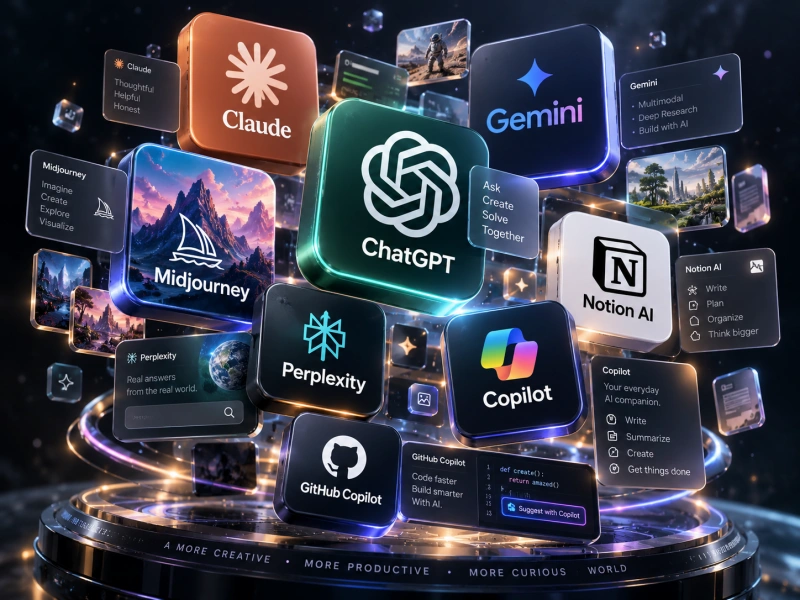
2. Which Are the 10 Best AI Tools in 2026?
These ten tools address various professional requirements, from day-to-day writing to creative work and automation.
2.1 Which Are the Most Effective AI Tools for Writing, Research, and Coding?
1. ChatGPT – Best for Daily Help from AI
ChatGPT assists in creating letters, structuring reports, summarizing info, and analyzing data. The versatility of this platform allows one to use it while working in the office, freelancing, or creating content, but the information needs verification anyway.
2. Claude – Best for Long Writing
Claude is ideal for long-form writing, structural analysis of articles, and summarizing lengthy reports. It can be helpful for writers and researchers, but limitations on its use and possible inaccuracies cannot be overlooked.
3. Perplexity – Best for AI-Fueled Research
Perplexity features answers generated using artificial intelligence along with citations to source material. It assists users in exploring new topics and finding research resources easily. Nevertheless, citations must always be verified from sources.
4. Gemini – Perfect for Google Fans
Gemini facilitates writing tasks, information analysis, and multimodal tasks.
It might be especially useful for those who make use of the productivity suite of Google, depending upon the product and subscription plan.
5. GitHub Copilot – Best for Code Generation
GitHub Copilot helps programmers with code completion, function generation, and understanding code. However, the generated code needs to be tested for security, performance, and correctness.
2.2 What Are the Best AI Applications for Design, Video, and Automation?
6. Canva — Best for Everyday Design
Using Canva, users can design social media graphics, marketing collateral, and presentations. Templates and AI-enabled elements make design more accessible, but some premium assets and advanced functions require payment.
7. Midjourney — Best for Creative Images
Midjourney is used to generate images based on text descriptions. This tool would be suitable for those who experiment with advertisements and art styles. Accurate product representation and a consistent brand image will require several attempts.
8. Runway — Best for AI Video Creation
Runway assists with creating videos using AI. It allows creators to try out ideas with the help of visuals, but limitations on creation, consistency of output, and processing costs can make it less feasible.
9. Gamma — Best for Presentations
Gamma is used for converting written outlines into presentations. It makes formatting easier at the start when creating business reports or educational materials, although further verification is needed.
10. Zapier — Best for Workflow Automation
Zapier connects different apps and automates repetitive tasks, with AI abilities included in some workflow processes. For example, a filled-out form can automatically create a task.
Here’s how the tools compare:
| AI Tool | Primary Use | Best For |
| ChatGPT | Writing and analysis | Professionals, creators |
| Claude | Document processing | Writers, researchers |
| Perplexity | AI-assisted search | Students, analysts |
| Gemini | Google productivity | Office teams |
| GitHub Copilot | Coding assistance | Developers |
| Canva | Visual design | Marketers |
| Midjourney | Image generation | Designers |
| Runway | Video creation | Video creators |
| Gamma | Presentations | Professionals, educators |
| Zapier | Workflow automation | Businesses, freelancers |
Is it worthwhile to pay for AI services? Let’s assume that an AI subscription costs $20 per month and will save you three working hours. In this case, the value of saved time is approximately $75 if we take into account the cost of one hour ($25). The net value after paying for a subscription will be $55 per month. But saved time doesn’t equal money. Training, checking output, and other work-related activities consume time too. It’s better to test two or three complementary AI services for two weeks before subscribing.

Conclusion
The best AI tools in 2026 serve various purposes. ChatGPT and Claude are for writing and analysis; Perplexity is for research; Gemini functions well in Google’s environment, and GitHub Copilot is for developers. Canva, Midjourney, Runway, and Gamma are used for creativity, while Zapier is for repetitive workflow automation.
In lieu of chasing the latest innovations, choose tools that will solve your biggest problems efficiently and within the budget you have at your disposal. The best AI tool in 2026 is not the most intelligent one – it is the most convenient one.
0