


Table of Contents
In today’s digital world, selecting the right display can make a huge difference in productivity, entertainment, and overall visual comfort. With so many options on the market, it’s important to understand the different types of monitor available and their best applications. Monitors vary in technology, screen size, resolution, refresh rate, and color accuracy.
Whether you are a gamer, a designer, or a professional handling multiple tasks, knowing the advantages of each type of monitor helps you make an informed decision. Choosing the right monitor also ensures better eye comfort and optimized performance for specific uses.
LCD Monitors: Affordable and Reliable
- Overview: LCD (Liquid Crystal Display) monitors are one of the most widely used different types of monitor. They use liquid crystals between glass panels to produce images. While requiring backlighting, modern LCD monitors are energy-efficient and deliver clear visuals for most tasks.
- Best Applications:
- Office Work: LCD monitors are ideal for document editing, spreadsheets, and email, thanks to clear text display.
- Home Entertainment: Suitable for streaming videos or watching movies with balanced colors and brightness.
- Educational Use: Affordable and durable, these monitors are common in classrooms and study environments.
- Advantages: Lightweight, cost-effective, and widely available in various screen sizes. LCD monitors remain a reliable choice among the different types of monitors for everyday use.
LED Monitors: Brighter and Energy-Efficient
- Overview: LED monitors are a subtype of LCD monitors that use light-emitting diodes for backlighting. This improves brightness, reduces energy consumption, and allows for thinner designs. Among different types of monitor, LED displays often offer better contrast and faster response times than traditional LCDs.
- Best Applications:
- Gaming: LED monitors provide higher refresh rates, reduced motion blur, and smoother gameplay.
- Professional Design: Excellent color reproduction and contrast make them suitable for photo editing, video production, and graphic design.
- Office Use: Their slim design saves desk space while maintaining visual quality.
- Features: Many LED monitors include HDR support, curved panels, and ultra-thin bezels, making them visually appealing while functional.
OLED Monitors: Exceptional Color and Contrast
- Overview: OLED (Organic Light Emitting Diode) monitors are renowned for their deep blacks and vivid colors. Each pixel emits its own light, eliminating backlight limitations seen in LCD or LED monitors. As one of the premium different types of monitor, OLED is highly valued in color-critical applications.
- Best Applications:
- Creative Professionals: Graphic designers, video editors, and photographers benefit from the precise color accuracy of OLED monitors.
- Gaming: High-end gaming setups achieve immersive experiences with deep contrast and rapid refresh rates.
- Media Consumption: Watching films and videos in rich colors and sharp contrast is where OLED shines.
- Considerations: While OLED monitors are more expensive, they offer superior image quality. Users should note the potential for screen burn-in if static images are displayed for extended periods.
Curved and Ultrawide Monitors: Immersive and Efficient
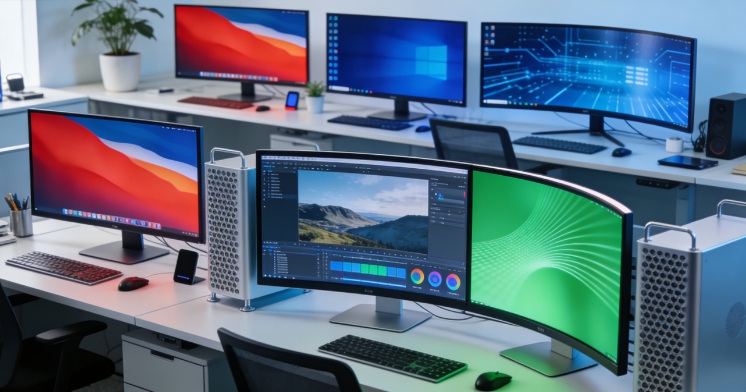
- Overview: Curved and ultrawide monitors are specialized different types of monitors designed for immersive viewing and multitasking efficiency. Curved screens wrap slightly around the user, while ultrawide monitors extend the horizontal workspace.
- Best Applications:
- Multitasking Professionals: Programmers, traders, and designers can use multiple windows efficiently.
- Gaming Enthusiasts: Curved and ultrawide monitors provide panoramic, immersive gameplay.
- Media Production: Video editors benefit from extended timelines and enhanced editing space.
- Design Advantages: Curved screens reduce eye strain over long sessions, and ultrawide formats often replace dual-monitor setups. Ergonomic stands and adjustable panels add comfort for prolonged use.
Comclusion
Selecting the ideal display requires evaluating the features of various different types of monitor. LCD and LED monitors are perfect for general office use and entertainment, offering reliability and affordability. OLED monitors excel in color-critical tasks, such as design and high-end gaming. Curved and ultrawide monitors enhance productivity and immersion for professional or gaming setups. Understanding the strengths and applications of these different types of monitor ensures that you choose a display that matches your needs, improves efficiency, and delivers the best visual experience. Investing in the right monitor benefits both work and leisure, making it an essential tool in the digital age.
0