



Table of Contents
In modern fiber optic infrastructure, the demand for high-density, high-performance, and highly reliable cabling solutions continues to grow. The Armored MTP Trunk cable has become a preferred choice for data centers and enterprise networks due to its enhanced mechanical protection and high-speed transmission capability. Proper installation is essential to ensure optimal performance, signal stability, and long-term durability. This guide explains how to correctly install an Armored MTP Trunk cable in fiber optic systems while maintaining safety and efficiency standards.
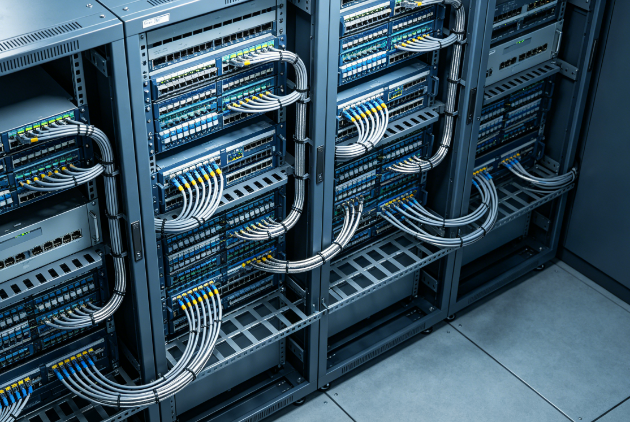
Pre-Installation Planning and Cable Inspection
Before installing an Armored MTP Trunk cable, careful planning and inspection are critical to avoid performance issues and physical damage.
- Verify system requirements and cable type compatibility
Ensure that the selected Armored MTP Trunk cable matches the required fiber count, polarity type (Type A, B, or C), and connector specifications. Incompatibility may lead to signal loss or connection failure in high-speed networks. - Inspect cable condition before deployment
Check the armored outer layer for any visible damage, dents, or bending stress. The protective armor is designed to resist crushing and rodent damage, so any defect may compromise its protective function. - Plan the installation route in advance
Identify cable pathways, rack layouts, and bend radius limits. Proper routing helps prevent excessive bending or tension, which can affect optical performance and long-term reliability.
Proper Handling and Routing of Armored MTP Trunk Cable
Correct handling is essential to preserve the integrity of the Armored MTP Trunk cable during installation.
- Maintain a minimum bend radius during routing
Do not bend or twist the cable sharply. Even though the armored layer provides protection, internal fiber strands are still sensitive to excessive bending. - Use appropriate cable management accessories
Install cable trays, routing guides, and Velcro straps to secure the cable along its path. This helps maintain organization and reduces mechanical stress on connectors. - Avoid excessive pulling force during installation
When pulling the cable through conduits or racks, apply a steady and controlled force. Over-tensioning may damage internal fibers or weaken the armored structure.
Connector Installation and System Integration
The connection process is one of the most critical steps when installing an Armored MTP Trunk cable in fiber optic systems.
- Align MTP connectors correctly before insertion
Ensure proper polarity alignment to avoid misconnection. MTP connectors are precision-engineered, and incorrect alignment can cause immediate signal failure. - Secure connection with proper insertion pressure
Push the connector firmly until it clicks into place. A loose connection can lead to high insertion loss or intermittent signal disruption in high-speed environments. - Integrate with patch panels or optical modules
Connect the trunk cable to compatible MTP/MPO patch panels or cassette modules. This enables structured cabling and simplifies future maintenance or upgrades.
Testing and Verification After Installation
Once the Armored MTP Trunk cable is installed, thorough testing ensures system reliability and performance stability.
- Perform optical loss testing (OLTS)
Measure insertion loss and return loss to ensure the cable meets performance standards. High loss values may indicate connector contamination or improper installation. - Use visual inspection tools for connector cleanliness
Inspect fiber end faces using a fiber microscope. Even minor dust particles can significantly degrade signal quality in high-speed networks. - Conduct end-to-end connectivity verification
Test all channels to confirm proper signal transmission across the entire system. This step ensures that all fibers within the trunk cable are functioning correctly.
Maintenance Best Practices for Long-Term Performance
To maintain the reliability of an Armored MTP Trunk cable, regular maintenance is essential.
- Schedule periodic inspection of cable pathways
Check for physical stress, bending, or environmental damage along the installation route. Early detection helps prevent system downtime. - Clean and protect connectors regularly
Use professional cleaning kits to maintain connector performance. Contaminated connectors are a common cause of signal degradation in fiber systems. - Monitor network performance continuously
Use network monitoring tools to detect anomalies such as latency or packet loss. This helps identify potential cable issues before they affect system operation.
Conclusion
The installation of an Armored MTP Trunk cable requires careful planning, proper handling, precise connector alignment, and thorough testing to ensure optimal performance in fiber optic systems. Its armored structure provides superior physical protection, making it ideal for demanding environments such as data centers and enterprise networks. By following correct installation procedures and maintenance practices, network operators can achieve stable, high-speed, and long-lasting optical connectivity.
0