


Table of Contents
Touch Display has changed the way designers, illustrators, photographers, and video editors interact with their work by enabling direct on-screen control. Instead of relying solely on a mouse or keyboard, users can draw, edit, and navigate using fingers or a stylus, making workflows more intuitive and visually connected. However, the question remains: is a Touch Display truly worth the investment for designers and creators, or is it simply an optional luxury? The answer depends on how deeply a creator relies on visual precision, speed, and interactive control in their daily workflow.
Enhanced Creativity and Natural Interaction
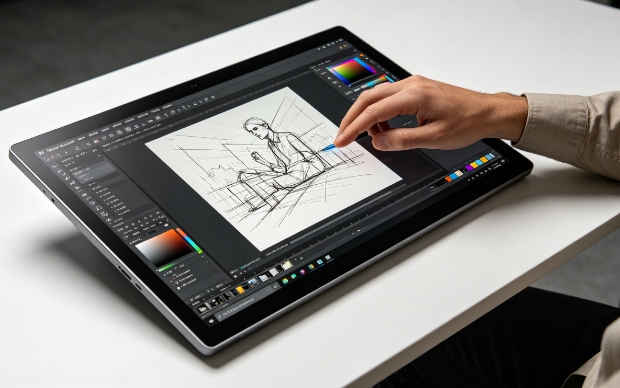
A major advantage of a Touch Display is its ability to bridge the gap between traditional art techniques and digital creation.
- Direct drawing experience: Artists can sketch directly on the screen, making the creative process feel more natural compared to using a mouse. This improves line accuracy and emotional expression in digital artwork.
- More fluid ideation process: Designers can quickly brainstorm, erase, and adjust concepts in real time, which supports a more experimental and flexible workflow.
- Better stylus control: When paired with a pen input device, a Touch Display supports pressure sensitivity and tilt recognition, allowing for realistic brush strokes and shading effects.
- Reduced mental translation: Instead of thinking in terms of cursor movement, creators interact directly with visuals, which helps maintain creative flow.
Overall, this level of interaction makes the Touch Display especially valuable for illustrators and visual artists who rely heavily on precision and natural hand movement.
Productivity Improvements in Daily Workflow
Beyond creativity, a Touch Display also enhances productivity by streamlining repetitive tasks and improving navigation efficiency.
- Faster design adjustments: Users can resize, rotate, and move elements instantly using touch gestures, reducing dependence on shortcut-heavy workflows.
- Simplified multitasking: Many creative professionals use split-screen setups on a Touch Display to manage reference images, timelines, and editing tools simultaneously.
- Efficient software interaction: Common design tools like Photoshop or video editing software allow direct manipulation of layers and objects, which speeds up editing cycles.
- Reduced device switching: Instead of constantly moving between keyboard, mouse, and tablet, creators can complete more actions directly on the screen.
By minimizing unnecessary steps, a Touch Display helps creators focus more on decision-making rather than navigation.
Key Technical Features That Define Performance
Not all models of a Touch Display offer the same level of performance, and understanding core features is essential before purchasing.
- Display clarity matters: High-resolution screens (2K or 4K) ensure sharper visuals and more accurate design work, especially for print and professional branding projects.
- Color accuracy is critical: Wide color gamuts such as sRGB or Adobe RGB support ensure that designs appear consistent across devices and platforms.
- Responsiveness affects workflow: Low-latency touch response ensures that every stroke or gesture appears instantly on screen without delay.
- Ergonomic usability: Adjustable stands, anti-glare coatings, and eye-comfort technology reduce fatigue during long design sessions.
These factors determine whether a Touch Display is suitable for professional creative workloads or only casual use.
Limitations and Practical Considerations
Despite its advantages, a Touch Display is not without drawbacks, and users should evaluate them carefully before investing.
- Higher cost barrier: Professional-grade models with stylus support and high color accuracy are significantly more expensive than standard monitors.
- Adjustment period required: Designers accustomed to traditional tools may need time to adapt to touch-based workflows and gesture controls.
- Physical strain over time: Extended drawing sessions on a vertical screen may cause arm or wrist fatigue if the ergonomic setup is not optimized.
- Software compatibility gaps: While most major creative applications support touch input, some advanced functions still rely on keyboard shortcuts or mouse precision.
These limitations mean that a Touch Display may not be the best choice for every user, especially beginners or budget-conscious creators.
Conclusion
In conclusion, a Touch Display can significantly enhance the creative experience by offering intuitive interaction, improved productivity, and greater precision in digital design work. For professional designers, illustrators, and content creators who rely heavily on visual detail and fast iteration, it can be a highly valuable investment that transforms workflow efficiency. However, for users with simpler needs or limited budgets, traditional monitors may still be sufficient. Ultimately, the value of a Touch Display depends on how much importance a creator places on direct interaction, creative flexibility, and long-term productivity gains.
0